 French
  English
  Arabic
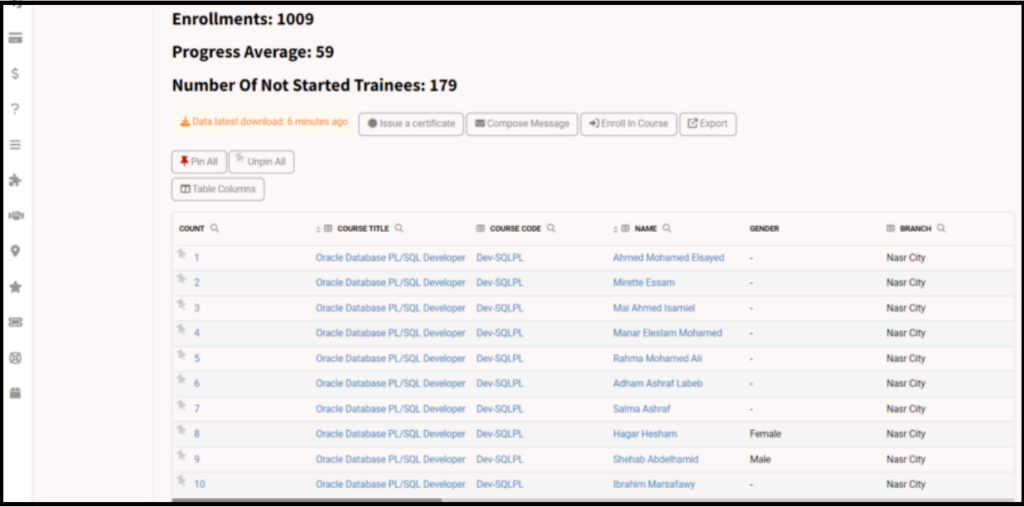
 The Enrollment Report is the most important report in the platform as it shows all enrollments in all courses and the progress of each course.
The Enrollment Report Page Options: #
- Clicking the Enrollment Report tab from the sidebar shows the progress of enrollment of each course.
- You can set the date as required to see this period’s progress.
- You can click the trainee’s name to show all the courses he/she enrolled at.
- By clicking the course’s title, all trainees enrolled on this course show.